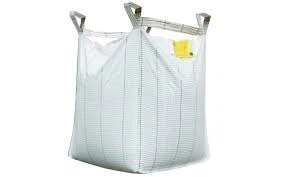
Hey there! As a supplier of Paper - plastic Composite Printed Bags, I know how crucial it is to ensure printing accuracy on these bags. In this blog, I'll share some tips and tricks on how to achieve that.
1. Choose the Right Printing Technology
When it comes to printing on paper - plastic composite printed bags, there are several printing technologies available, such as flexography, gravure printing, and digital printing. Each technology has its own pros and cons, and the choice depends on various factors like the quantity of bags, the complexity of the design, and the budget.
Flexography is a popular choice for high - volume printing. It's relatively cost - effective and can produce good - quality prints on a variety of substrates, including paper - plastic composites. The ink in flexography dries quickly, which helps in maintaining the sharpness of the print. However, it might not be the best option for very detailed or high - resolution designs.
Gravure printing, on the other hand, offers excellent print quality, especially for large - scale production. It can reproduce fine details and vibrant colors accurately. But the setup cost for gravure printing is quite high, and it's more suitable for long - run jobs.
Digital printing is a great choice for short - run jobs or when you need to print variable data. It allows for quick turnaround times and can produce high - resolution prints. The advantage of digital printing is that there's no need for expensive printing plates, which reduces the setup cost. But the per - unit cost of digital printing can be higher compared to flexography or gravure for large quantities.
So, before starting the printing process, carefully evaluate your requirements and choose the most appropriate printing technology. For example, if you're printing a large batch of Paper - plastic Composite Crepe Paper Sewn Bottom Bag with a simple design, flexography might be the way to go.
2. Select High - Quality Materials
The quality of the paper - plastic composite material and the ink used in the printing process plays a significant role in ensuring printing accuracy.
Paper - plastic Composite Material:
The surface smoothness and porosity of the paper - plastic composite material affect how the ink adheres to it. A smooth surface allows for better ink transfer and a more even print. Make sure to source the material from a reliable supplier. Check the material's specifications, such as its thickness, tensile strength, and moisture resistance. For instance, if you're printing Paper - plastic Composite Flat Open Bag, a material with consistent thickness will ensure uniform printing.
Ink:
Choose an ink that is compatible with the paper - plastic composite material. Different inks have different drying times, adhesion properties, and colorfastness. For food - grade bags, make sure to use inks that are safe and meet the relevant food contact regulations. Also, test the ink on a sample of the material before starting the full - scale production to ensure that it prints well and doesn't cause any issues like bleeding or smudging.
3. Proper Pre - Press Preparation
Pre - press preparation is a critical step in achieving printing accuracy. Here are some important aspects to consider:
Design Proofing:
Before sending the design for printing, create a proof. This can be a digital proof or a physical sample print. Review the proof carefully to check for any errors in the design, such as spelling mistakes, incorrect colors, or misaligned elements. Make sure that the design fits properly on the bag and that all the details are clear and visible.


Color Management:
Use a color management system to ensure that the colors in the design match the final printed output. This involves calibrating the printing equipment and using color - matching software. Different printing technologies may have slight variations in color reproduction, so it's important to account for these differences during the pre - press stage. For example, if your design has a specific Pantone color, make sure that the printer can accurately reproduce it on the paper - plastic composite material.
Registration:
Registration refers to the alignment of different colors or printing elements on the bag. During pre - press, set up the registration marks on the design. These marks help the printer to align the printing plates or print heads accurately. Make sure that the registration marks are clear and easy to read, and that they are placed in a consistent location on the design.
4. Control the Printing Environment
The printing environment can have a significant impact on the printing accuracy. Here are some factors to control:
Temperature and Humidity:
Maintain a stable temperature and humidity in the printing area. High humidity can cause the paper - plastic composite material to absorb moisture, which can lead to problems like ink bleeding and poor adhesion. On the other hand, low humidity can cause the material to become brittle and may affect the ink drying process. The ideal temperature for printing on paper - plastic composites is usually around 20 - 25°C (68 - 77°F), and the relative humidity should be kept between 40 - 60%.
Dust and Contamination:
Keep the printing area clean and free from dust and other contaminants. Dust particles can get onto the printing plates or the material, which can cause defects in the print. Use air filtration systems and regular cleaning procedures to maintain a clean environment.
5. Operator Training and Monitoring
Well - trained operators are essential for ensuring printing accuracy. Here's why:
Operator Training:
Provide comprehensive training to the printing operators on the specific printing technology and equipment being used. They should know how to set up the equipment correctly, adjust the printing parameters, and troubleshoot common problems. For example, they should be able to adjust the ink flow, pressure, and speed of the printing press to achieve the best results.
Monitoring and Quality Control:
During the printing process, continuously monitor the print quality. Check the bags regularly for any signs of defects, such as misaligned prints, color variations, or ink smudging. Use quality control tools like magnifying glasses and colorimeters to inspect the prints closely. If any issues are detected, take immediate corrective action to prevent further problems.
6. Post - Printing Inspection
After the printing is completed, conduct a thorough post - printing inspection. Here's what to look for:
Print Quality:
Check the overall print quality, including the sharpness of the text and images, the color accuracy, and the registration. Make sure that there are no visible defects like scratches, stains, or missing ink.
Bag Integrity:
Inspect the integrity of the bag. Check for any damage to the paper - plastic composite material, such as tears or holes. Make sure that the seams are properly sealed and that the bag can withstand normal handling and use.
By following these steps, you can significantly improve the printing accuracy on paper - plastic composite printed bags. Whether you're printing Paper - plastic Composite Square Bottom M - fold Bag or any other type of bag, these tips will help you produce high - quality prints that meet your customers' expectations.
If you're interested in purchasing paper - plastic composite printed bags or have any questions about the printing process, feel free to get in touch with us. We're here to provide you with the best solutions for your packaging needs.
References
- "Printing Technology Handbook" - A comprehensive guide on different printing technologies and their applications.
- "Packaging Materials and Their Properties" - A book that provides detailed information about various packaging materials, including paper - plastic composites.